

TREATLIFE Smart Ceiling Fan Control and Dimmer Light Switch, 2.4GHz WiFi Only, Neutral Wire Required, Single Pole Fan & Light Switch Combo, Works with Alexa, Google Home & SmartThings, Remote Control
$6.99
Related Products




From the brand


TREATLIFE smart home products provide a new way to experience daily life, one that’s both intelligent and simple. Enjoy powerful control and convenient features no matter where you are.
Remotely turn your connected devices on and off via the Treatlife App, helping to save on energy and monthly bills.
New Release
Smart Dimmer Switch

Smart Plug

Smart Home
Compatibility for Wiring, Pairing, and Application: Supports 2.4GHz Wi-Fi only (5GHz not supported), no hub needed. Requires neutral, fan load, light load, line, and ground wires. Ensure two separate load wires for fan and light. Only works with single-pole setups, not 3-way or multiple ways. Switch dimensions: 4.13″ (L) x 1.73″ (W) x 1.38″ (D)
Compatibility for Bulbs and Fans: Only works with dimmable, non-smart bulbs–max 150W for LED/CFL, 300W for incandescent. Not compatible with smart or non-dimmable bulbs. Supports 4-speed AC fans up to 1.5A. Not for fans with remote, smart fans, DC motors, or exhaust fans. Remove canopy modules before install
Lights Brightness and Fan Speed Control: Easily adjust your fan speed and dim your lights from anywhere with the Smart Life or Treatlife App. This 2-in-1 ceiling fan smart switch offers 4 fan speeds and smooth, flicker-free dimming (10%-100%) for the perfect lighting and airflow. The Gentle On & Off lighting effect creates a soft transition, reducing eye strain and adding to your comfort
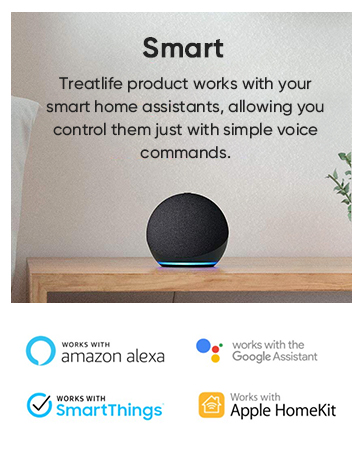
Smart Scheduling & Voice Control: Set timers or schedules to turn lights and fans on/off at specific times with preset brightness or speed. Activate random lighting while on vacation to enhance home security. Works with Alexa and Google Assistant (Not HomeKit) for hands-free control—perfect for dark rooms or when your hands are full
Worry-Free Support: Treatlife FCC-certified ceiling fan wall controls for safety and quality assurance. Any unexpected quality or installation issues, please contact us in time to activate your warranty service to get the best solution the first time
7 reviews for TREATLIFE Smart Ceiling Fan Control and Dimmer Light Switch, 2.4GHz WiFi Only, Neutral Wire Required, Single Pole Fan & Light Switch Combo, Works with Alexa, Google Home & SmartThings, Remote Control
Add a review

$6.99
junior –
Very Functional Smart Switch for Ceiling Fan and Light
I am again pleased to have bought and installed another Treatlife smart device. I have most of their other products and this ceiling fan smart switch is a welcome addition to their product line. I have a child that likes to have a ceiling fan on at bed time, but turned off after a while. Since I frequently forget to turn it off, this is a great way for me to have the fan turn off automatically each night. Also I had never gotten around to installing a separate light and fan switch. We had one switch control power to the fan/light and then used the pull cords to turn on the lights or fan. So, this helps make life better in being able to turn either the light or fan from the switch and no longer need to rely on the pull chains.You need to make sure you have proper house wiring to support this switch. First, you need to have a neutral wire. That shouldn’t be a problem unless your home is older. Second, you need to have separate wires from your switch box to your ceiling fan–one for fan and one for light. Most modern installs should have the standard black, white, copper wiring along with a red wire running from your switch box to the fan mounting box. Without that red wire, you won’t be able to control the fan and light separately.Previously, I only had a single switch to control my ceiling fan. When I connected the light unit in the fan, it was wired together with the fan. So, we had to use the pull chain to turn the light on and off. So, I had to change the light unit’s wire to my red supply wire before installing the switch. Luckly I have a newer ceiling fan unit and didn’t have to remove it in order to re-wire.Aside from having to re-connect my light fixture wire, the install was straightforward. Obviously you should be skilled enough to be careful working with electrical connections. But, if you can handle turning off the right breaker and removing your existing switch, you should be able to handle this in just a few minutes. You simply connect the wires properly. The only difference from a “normal” switch connection is having separate wires for the fan and light. Treatlife includes wire labels to help make this a little easier.You don’t need any sort of hub or device controller. You do, however need to make sure you have a 2.4 Ghz wifi network (not 5 Ghz). Connecting to the “app” was quick and easy. I am using the older Smart Life app and not their newer Treatlife app. As of now the Treatlife app doesn’t include Siri shortcuts. So, I’m sticking with the Smart Life app for now. Otherwise, there’s no difference between the apps.Their app makes it very straighforward to add timers (say automatically turn the fan off an hour after someone turns it on) or schedules (turn fan on at 8 PM or at dusk). You can also also create Siri shortcuts for actions. For me, that was shortcuts to turn lights on full, dim, or off and ceiling fan high, low, and off. I also set the fan to lower at 11 PM and turn off at midnight. The programming is very functional and easy to do.Their instructions were good and easy to understand. The manual control is easy to do. You can easily turn on/off the fan or lights with a push of a button. In order to control the light brightness, just double-tap the light button and use the +/- buttons to increase/decrease the brightness. Similarly, double-tapping the fan button allows the +/- buttons to speed/slow the fan.The only complaint my child had was that the LED on the switch when the fan runs was “too bright” for him. I don’t think the LED is all that bright, honestly. I contacted the manufacturer and they are checking to see if it can be disabled. As of now, there’s no solution. I put a thick post-it note on there for now, and that’s solving the problem low-tech.Overall, I am very pleased as I have been with all my Treatlife purchases. This ceiling light/fan switch has met all my expectations.
SethG –
Works great to control both a Ceiling Fan and Light in ONE dual switch.
As many others seem to say, “I have been looking for a smart switch that controls both the fan and light”. Till now I had to buy separate smart switches to control both. This switch works great in fact I purchased a second one with in a month of installing the first. Install was very easy as the wires on the back of the switch are identified as to their function so you won’t mistake which to connect to your home wires.To install this switch to control both fan and light, first turn the breaker off for your switch. You can tag all the wires with the included stickers showing what they control. You need a hot/Line/power wire usually black to feed the electric to both the light and fan through the switch and you need a Neutral Wire usually white. They will attach to the black and white wires from the switch with the wire nuts provided. You will also need a ground wire usually green or bare copper which attaches to the green wire from switch. You then need load wires which are the wires coming from the light and fan. The fan power wire will connect to the yellow wire from switch and the light load wire will connect to the red wire from the switch.Now your switch is wired. The neutral wire and ground wire from the light and fan get attached to the ones from the switch and line/power wires. All neutral wires are connected together and all ground wires are connected together. I usually connect the wires together with wire caps like the ones provided and I then usually use electrical tape to wrap around the wires and the cap holding them together. Electrical tape comes in colors so I use the color that matches the wire for easy identification. Keep in mind this double switch is probably bigger then one you may be replacing in wall, so the switch and wires will all need to fit in the electric box in your wall.I could not find what the warranty on the switch was and so I contacted Treatlife via email as it is the only way to contact them. I got contacted by their tech, Frank Chire, who told me the warranty on the switches was 1 year. He was very helpful with other questions I had and made me feel that if anything went wrong with the switches or I had any other questions or concerns he would take care of them.The switches integrate with Alexa as well as other switches I have installed. You need to download the Smart Life app to your phone and if you want the switch to work with Alexa then you need to enable the Smart life skill in the Alexa app. The switch was detected by the app without any issues. Once installed on the app you can change the switches name and don’t forget to name the individual light and fan switches to something that makes sense to what they control and where they are located.The switch has a light built in which works opposite of most in the sense that if the light or fan is on the internal light is lit. If the fan or switch is off the internal light for that switch is off. I like a lighted switch so I can see it in the dark to turn it on, this defeats that purpose. If you are using it with Alexa then you can just tell Alexa to turn it on. It is a bit bright. This can hopefully be fixed with a software/firmware update that will allow the app to set when the internal light goes on based on the switches state on or off and it should also allow the option to have it off all the time.The other issue I have is the dimmer at the top is shared between both switches which is a bit cumbersome. It may be a nice design change to have you hold the individual switch down on the bottom of that switch to lower it and the top of the switch, (it would be like a rocker switch), to raise.Overall the best switch on the market for controlling both the fan and light of a ceiling fan and at a very good price.The Treatlife DS03 Fan and Light combined switch Pros and Cons:Pros:Easy Install with the wires marked as to their function.Two switches in one.Works well with Alexa for making a smart home.Low price for a smart switch.Tech support from my interaction seems to care about customer satisfaction.Everything but screw drivers are included, Switch, Cover Plate, Wire nuts, and labels for your wires.1 year warranty.Cons are all just my personal feelings and do not affect the switches operation:The internal light on the switches is not controllable as to when or if it is on and works opposite of what I am used to.The single dimmer portion of the switch is a bit cumbersome to use.Treatlife can only be contacted via email no phone number.I will revisit this review if the switches give me any issues.For now 5 stars. Great value.
Keith MacDougall –
During our renovations we bought a cheap Harbor Breeze ceiling fan from Lowes. It was wired by the contractor with pull chains on a single switch (yuck). I was skeptical this switch would be able to work with it — especially the ability to dim the light/fan speed. However, I read a couple other reviews and I had neutral wires running into the switch box, so thought I would give it a go.It works like a charm. The instructions were well laid out, and the wire labels were really helpful while I was trying to figure out how to rewire the fan (to avoid the pull chains). I hooked it up to our google home (there is a smart speaker in that room) and now we can control light dimmer and fan speed with our voice. Pretty cool party trick!The google home setup was a little awkward (it shows up as two separate devices, and the name of the light switch defaulted to some Chinese characters) – but once I noticed the two new devices, I was able to control everything easily.Go for it.
Adam Lamont –
Overall, this switch works well. Easy to sync up and easy to use. My biggest gripe is how large it is. I had a lot of troubles getting it into the electrical box and screw down tight enough.I installed a new fan in a room that had a switched outlet. I ran new 14/3 wire to the box and rewired it so that the switched outlet was no longer switched and instead I controlled the fan/light in the ceiling with this dimmer. The wiring itself wasn’t very difficult but getting things into a standard 12.5 cubic inch box was tricky. I had to constantly rearrange the wires and got everything to JUST fit. I even had to install a different box because mine was installed “incorrectly” by today’s standards and didn’t have the amout of room needed. There is still a minor gap but its good enough for me. I would suggest that if you have a standard single outlet box and have 3 wires coming into it, look into getting a deeper box (3″ deep instead of 2.5″) installed to save yourself some headaches or even install a larger 2 gang box and have a blank plate beside it. I was originally going to do a 2 gang box and have separate controls. I kind of wish I had to save me A LOT of troubles. The other option would be if they had screw terminals or push in connectors on the switch itself instead of having to wire nut everything together. I may have been able to save some space inside the box.
Kevin –
Very easy to control the fan and lights. The dimming is very easy to manipulate, tap the + or – to change brightness in increments or hold for a continuous change in brightness then release at the desired setting. No delay for controlling the brightness it remains the same at the point of releasing the button. Some devices have a delay where the brightness continues to change after releasing the buttons. The best feature of this device is the app. Control your fan and light from anywhere in the world with an internet connection, select your desired fan speed or vary the lamp brightness as your hearts content. Set up schedules and timers to run the fan at specific speeds and or lamp brightness. This is just awesome!Installation is not for the average joe you will be working with electricity and need to take the necessary precautions.UPDATE:So I’ve been using this for almost a year now and I found that the schedule doesn’t work very well. Whenever you create a scheduled task there is a slider that allows you to activate or deactivate (on/off) the task. I find that these keep on turning themselves off and as a result the schedule doesn’t work properly. 😒 I guess you can’t have everything. I use the android version of the app.
Johnny8594 –
I saw this item on a tech review video and thought it was a great idea. I ordered it immediately. Some people might think it’s pricey, but because this smart switch controls two things – I think it’s a justified price?The original wiring in my house was a little pesky (that’s what happens when black wires are used for everything!), so it took a few attempts. After figuring the wiring and snapping everything into place – the light switch didn’t work, but the fan switch turned on the fan and the light. I couldn’t control them separately via the switch, app or Google Assistant Because it’s summer (and I have no air-conditioning) I decided to live with it and use the pull chain for the light, since the fan is always on for the most part. I did like that I was able to control it from the phone, and set schedules/routines. However, hours later I discovered that something in the wiring in my light switch impacted the electricity in the stairwell and another bedroom. Not sure why it was wired like that, but that caused the cons to outweigh the pros.It is a quality product, but since my original wiring wasn’t straightforward – I guess it just wasn’t meant for me. Maybe if I knew more about how wiring works across multiple rooms and had more free time to troubleshoot it could’ve worked out. Thanks though!
MarkB –
I installed this a few days ago to control an older-model ceiling fan and light at my cottage. The installation went well and the switch connected to my wifi without any significant problems.I needed this wifi-controlled switch because I plan to turn on my electric fan heaters remotely to warm the cottage up before I arrive, which usually takes at least a few hours or even longer if it’s cold. The fan is perched high in the vaulted ceiling and is necessary to mix the warm and cold air. The wifi thermostat for the forced air fan heaters (Sinope TH11124WF, reviewed separately on Amazon) also works quite well.I really like the app (called Treatlife). It’s pretty slick; as good as I’ve used with my many wifi devices. In fact, I liked the app enough that when I went to replace another light switch, I bought a Treatlife product so I can use the same app. I now have over a dozen proprietary wifi apps, which can get to be cumbersome, so I’m starting to buy products from manufacturers that I know and like for both their products and their apps.It seemed a little expensive for what it is, but it works well so I’m satisfied.Regards, Mark